Skip to content

Understanding triggers and choosing what to do next

I built the CBT-inspired support I felt was missing from other habit-tracking apps. Unloops helps you prepare for triggers, pause when you feel an urge, and reflect after a setback by logging a slip.

Product snapshot:

The starting point
Practical support for triggers, urges, and setbacks
My role
Product design and AI-assisted frontend and backend development
Initial build
Over a month for the first iteration
Current stage
Live PWA, preparing for Google Play

The starting point

I needed support when a trigger appeared

Before building Unloops, I used a paid habit-tracking app to track my progress. But I still needed more support to understand my triggers and choose how to respond to them.

That became the brief for Unloops: prepare for triggers, pause during urges, and learn from setbacks. The approach draws on cognitive behavioral therapy (CBT).

01. Notice and prepare

Respond differently to familiar triggers

I needed a response ready before I made the same avoidable mistake again. Something I could actually use to fight it.

An editable plan connects triggers, helpful reminders, and practical alternatives. Suggestions make setup easier, while personal entries help build a solid plan.

Notice the cue. Choose a small action.

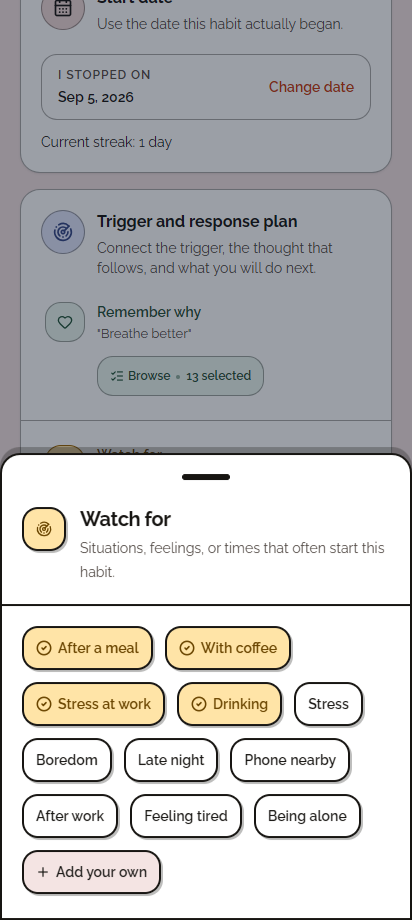
Unloops Watch for picker with selected cues including After a meal and Stress at work, and an Add your own action. Demonstration habit.
01. Notice situations and feelings that trigger the habit.
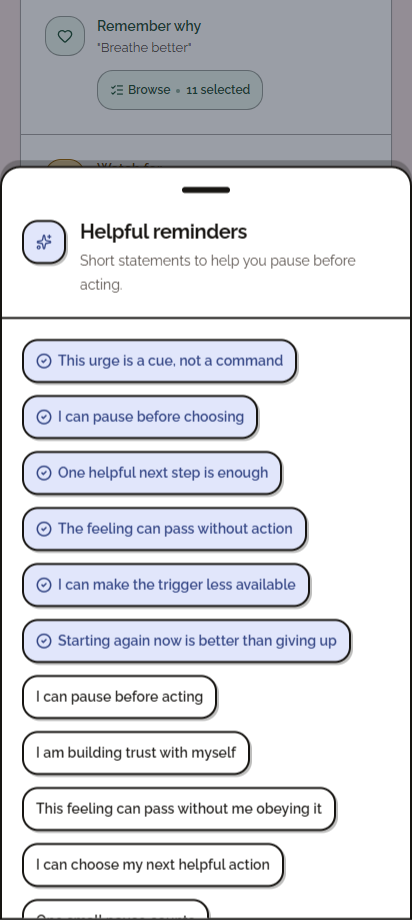
Unloops Helpful reminders picker with selected statements including I can pause before choosing and One helpful next step is enough.
02. Choose a thought to come back to before acting. Scroll inside the phone
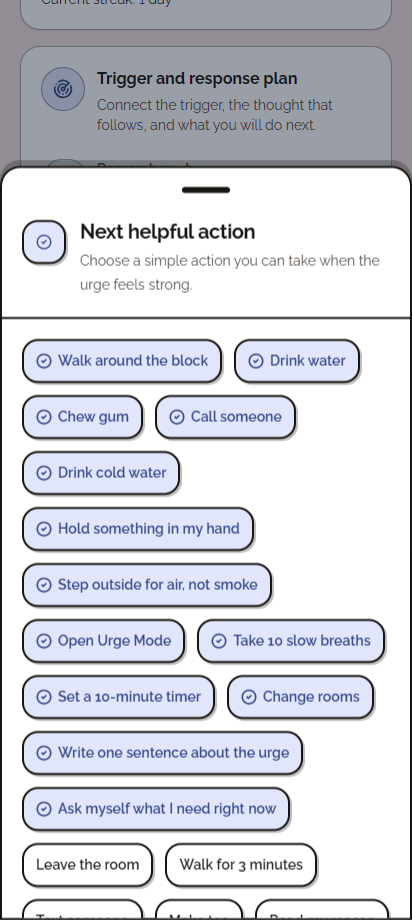
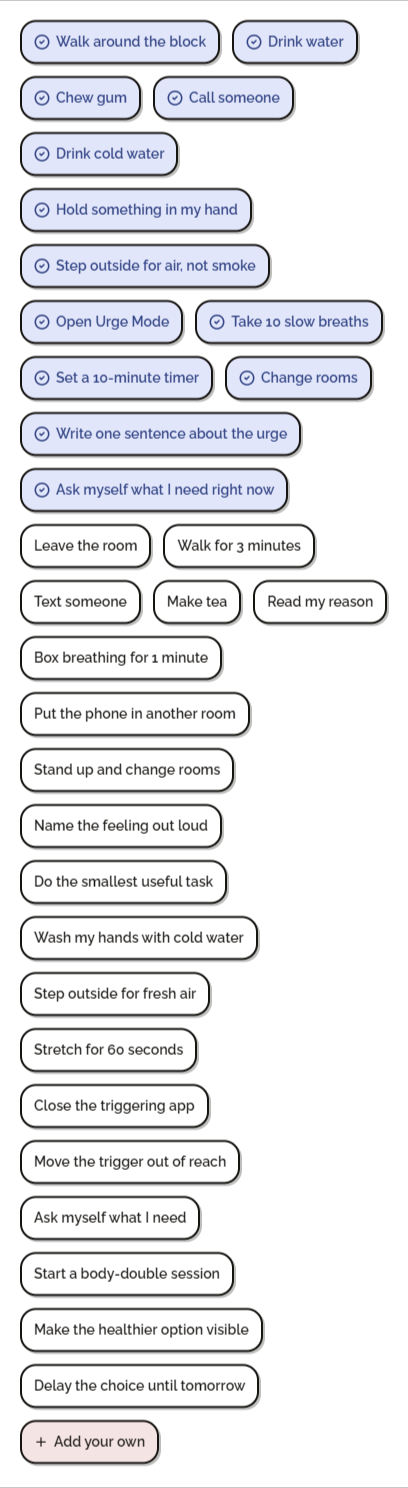
Unloops Next helpful action picker with selected responses including Walk around the block, Change rooms, and Write one sentence about the urge.
03. Choose a small action to try when an urge hits. Scroll inside the phone

02 · Pause and choose

Make space for the next choice

An urge needed an immediate next step.

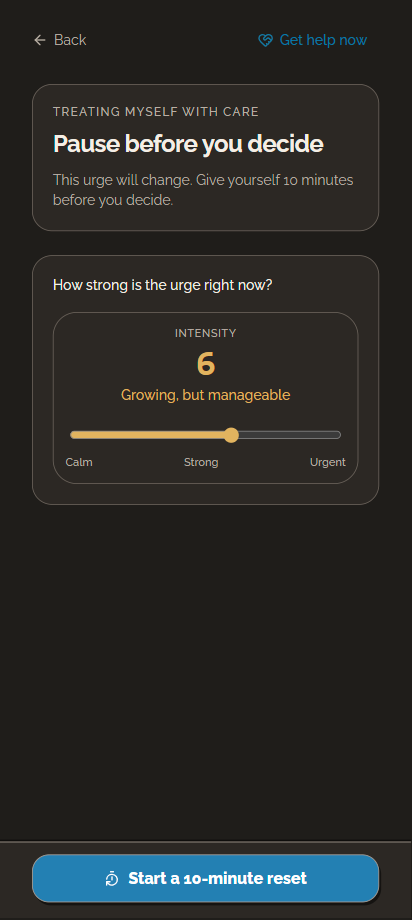
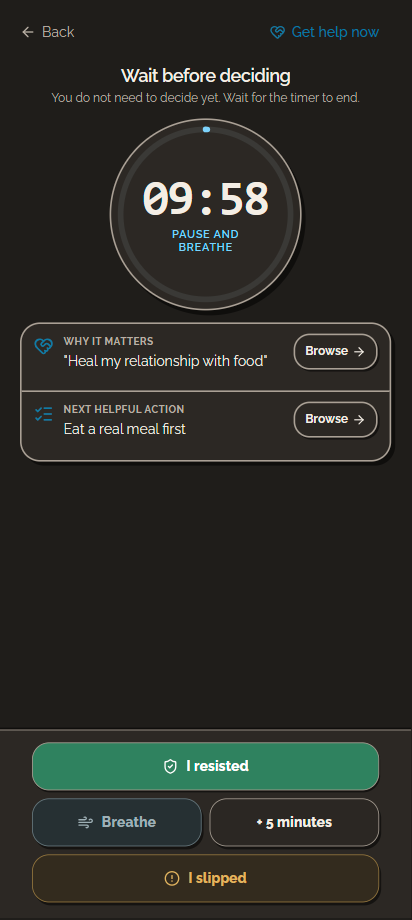
An intensity check opens a timed pause, with a personal reason and alternative action in reach. Breathing is optional.

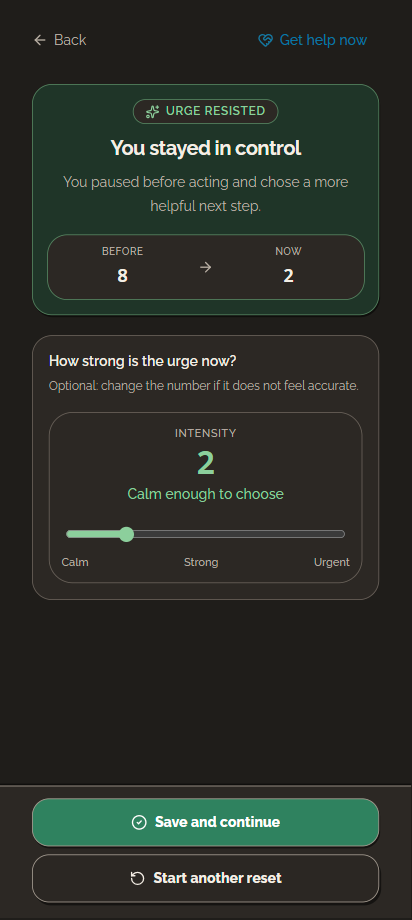
A final check-in gives the pause a clear end.

How personal reasons connect
An optional intensity scale and an action to start a ten-minute reset.
01 · Notice the urge
A ten-minute pause timer with a personal reason, a helpful action, and options to breathe, extend the pause, or log the outcome.
02 · Pause and choose a next action
Urge resisted screen with example before and after ratings and an editable intensity scale.
03 · Check in after the pause

Example ratings from separate captures, not a measured change.

Optional breathing exercises during the pause (3 screens)

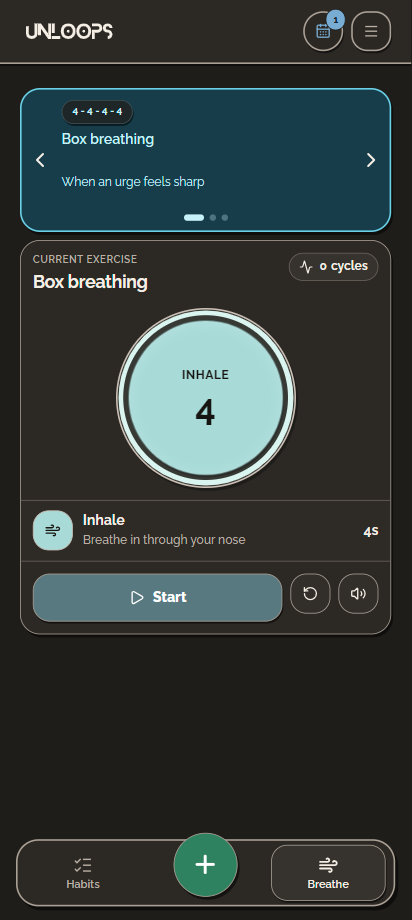
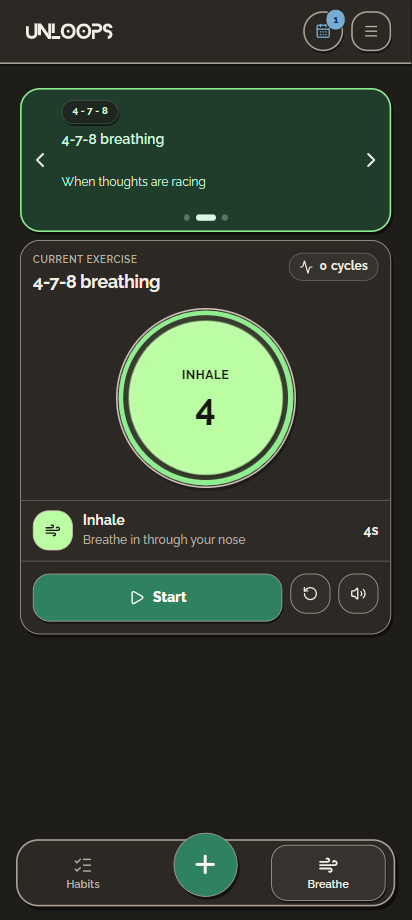
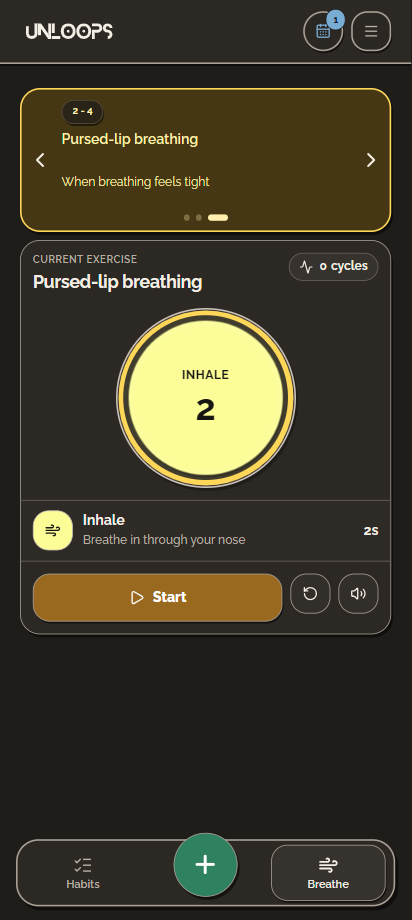
Structured breathing offers optional support during the CBT-inspired pause. Box breathing has been studied for stress management, while NHS guidance includes 4-7-8 for relaxation and pursed-lip breathing for breathlessness.

Box breathing screen with a visual inhale cue, four-second phase, and start, reset, and sound controls.
Box breathing
4-7-8 breathing option using the same exercise layout and controls.
4-7-8 breathing
Pursed-lip breathing option with a two-second inhale cue.
Pursed-lip breathing

03 · Reflect and return

Leave a setback with something useful

After a setback, I wanted to understand what happened and keep going.

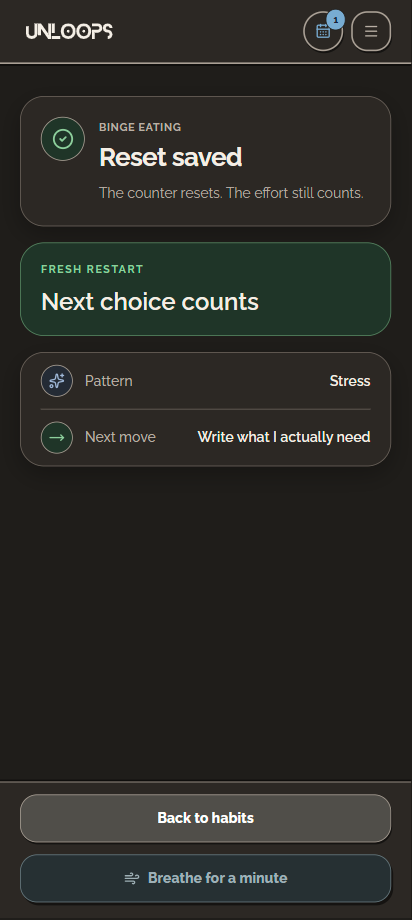
A short reflection records the trigger and a next action. The confirmation carries both forward after the counter resets.

The reset ends with something useful to do next.

How the day log keeps this context
Slip reflection form asking what made it easier, what helps next, when it happened, and an optional note.
01 · Notice the pattern Scroll inside the phone
Reset saved confirmation retaining the selected stress trigger and next helpful action.
02 · Return with a next step

From my own experience

What I needed beyond Quitzilla

Quitzilla helped me track progress. I still needed a way to recognize my triggers and choose a response. I kept familiar reasons, progress, and a diary, then connected them to action.

Each reference matches the same visible task. Quitzilla screenshot source.

Reference 01 · Personal reasons

Connect the reason to the moment I need it

My reasons needed to be available during an urge.

Quitzilla · What I used

Keep a list of reasons
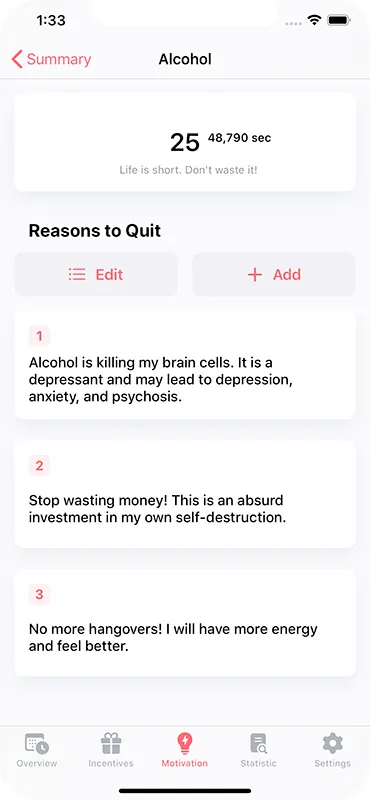
Quitzilla Reasons to Quit with an editable list of personal motivations.
Quitzilla · Reasons to quit

Reasons to Quit gives me an editable list of personal motivations.

Unloops · My design decision
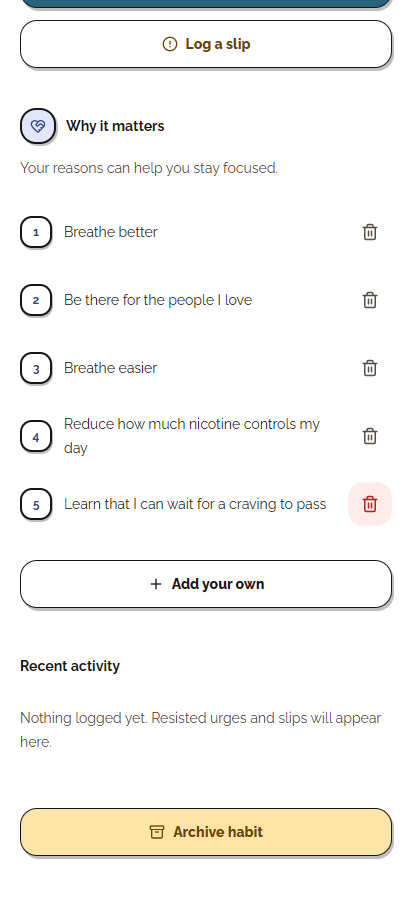
Bring those reasons into the pause

Unloops Why it matters with five editable reasons, individual remove controls, and Add your own. Demonstration habit.
Personal reasons used in the pause

I connected editable reasons to the urge flow, with suggestions and personal additions.

The reason stays close to the next choice.

Tradeoff: Suggestions still need personal editing.

Reference 02 · Access to support

Put support beside the habit

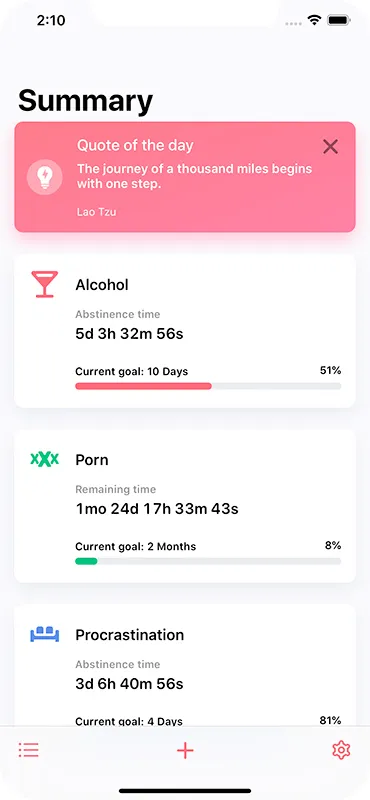
Checking progress was already part of my routine. I made it the entry point to support.

Quitzilla · What I used
Check the streak

Quitzilla Summary with a daily quote, abstinence timers, and goal progress on habit cards.
Quitzilla · Summary

The summary shows time without a habit, its current goal, and progress towards that goal.

Unloops · My design decision
Act from the same card

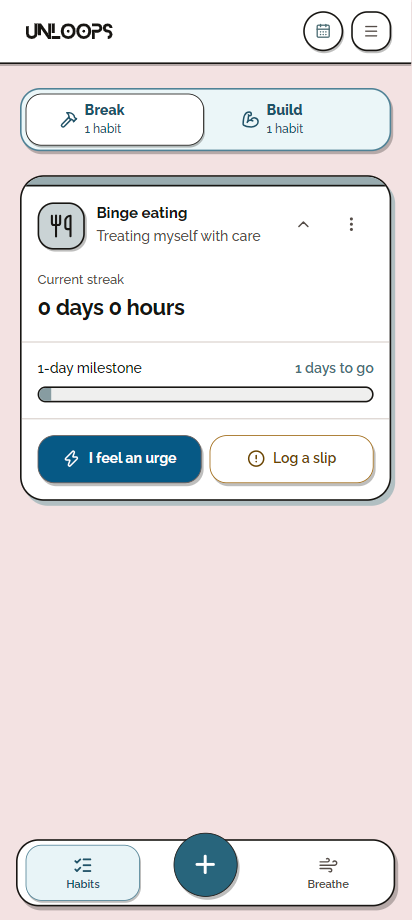
Break habit card with I feel an urge and Log a slip actions beside the current streak.
Progress with a direct route to support

I placed I feel an urge and Log a slip directly below progress, opening the pause and reflection flows.

Support starts where I already check my habit.

Tradeoff: The expanded card takes more space.

Reference 03 · Reviewing a day

Keep the context after the counter restarts

I wanted to revisit the trigger and response, even after starting again.

Quitzilla · What I used
Review the calendar

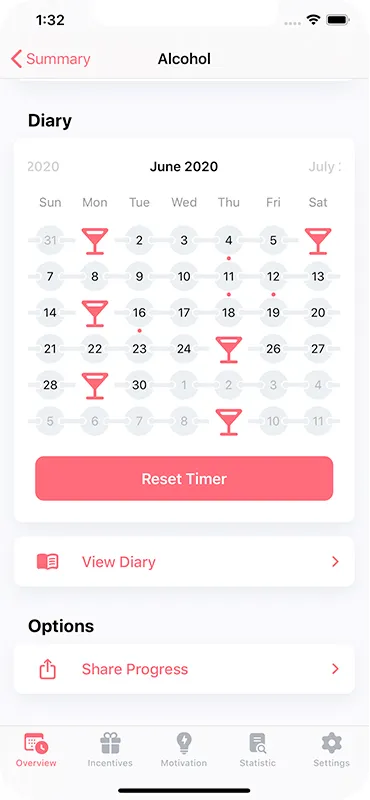
Quitzilla Diary with calendar markers and a Reset Timer action.
Quitzilla · Diary

The Diary marks events by day and provides a Reset Timer action.

Unloops · My design decision
Keep the context with the day

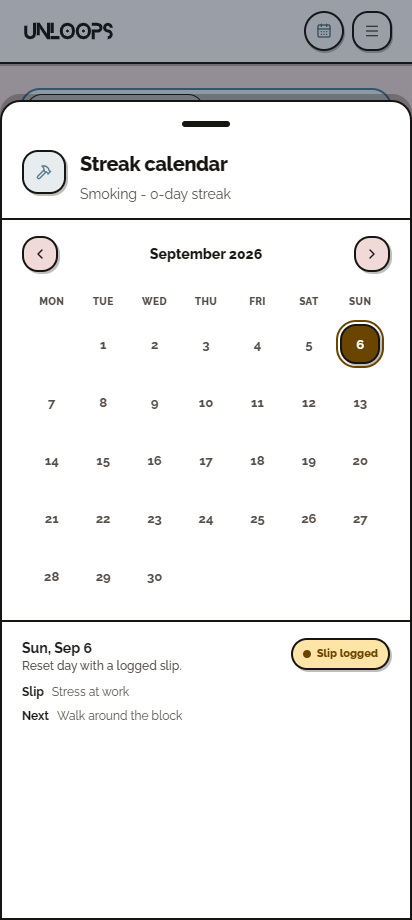
Unloops Streak calendar for a sample Smoking habit, with a selected day and its recorded slip details.
Stress at work → Walk around the block

Selecting a day reveals the trigger and chosen next action recorded during reflection.

A past setback can inform the next plan.

Tradeoff: Useful context depends on what I choose to log.

Separate demonstration session from the reflection screenshots.

Supporting routines

Make supportive routines easier to start

Small first steps and simple check-ins support the habits I want to build.

Starting small

Turn an intention into a first action

A new routine needed a small, concrete beginning.

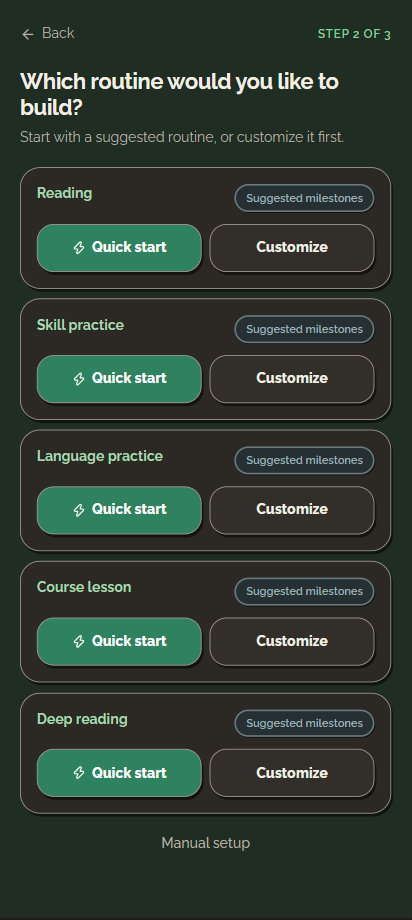
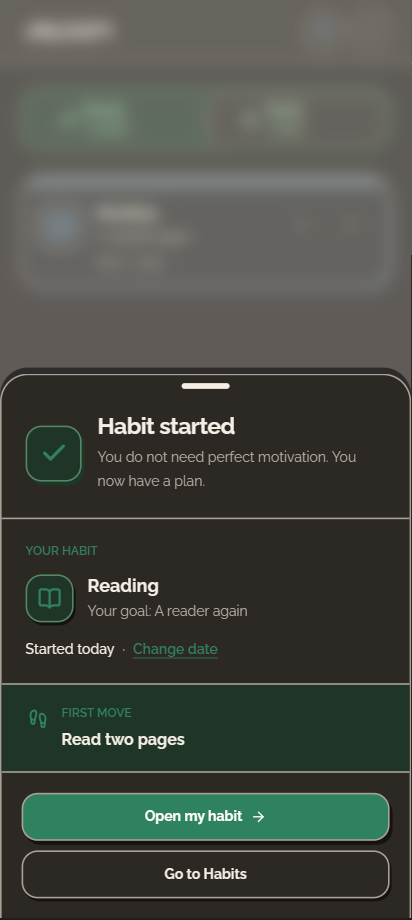
Quick start moves from an area to a suggested habit, then confirms the first action.

Read two pages gives a reading goal somewhere to start.
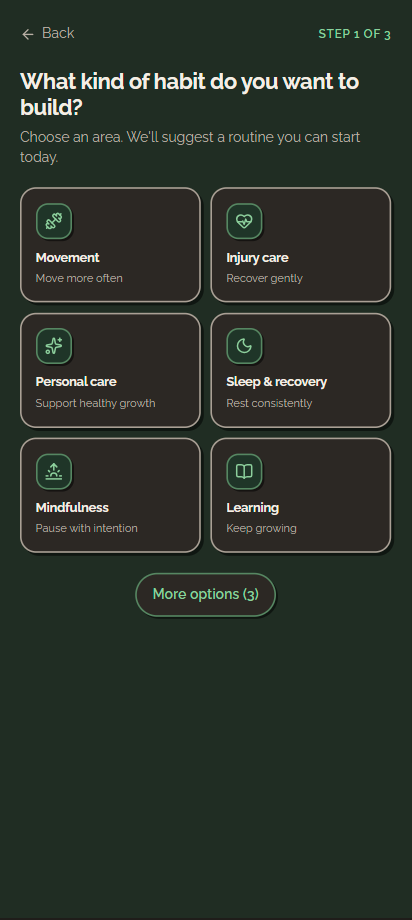
Build habit categories including movement, personal care, mindfulness, and learning.
01 · Choose an area
Suggested learning routines with Quick start and Customize actions.
02 · Start with a suggested routine
Reading habit confirmation with the goal A reader again and the first move Read two pages.
03 · Leave with a first step
Welcome and the Break habit setup (4 screens)
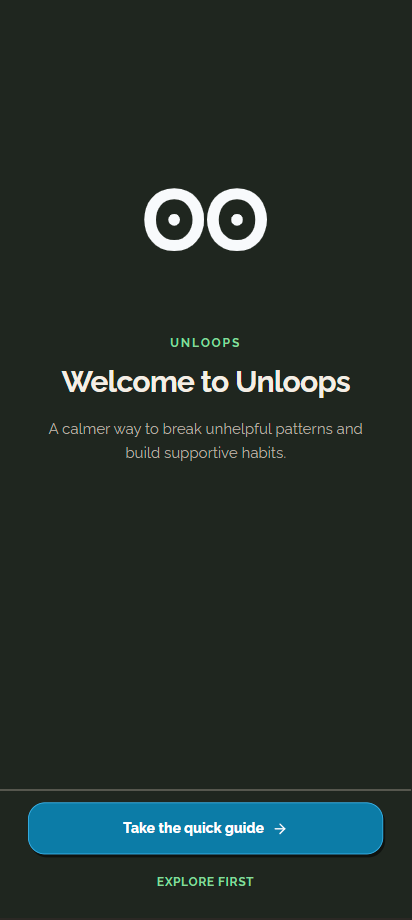
Unloops welcome screen offering a quick guide or direct exploration.
Take the guide or explore first
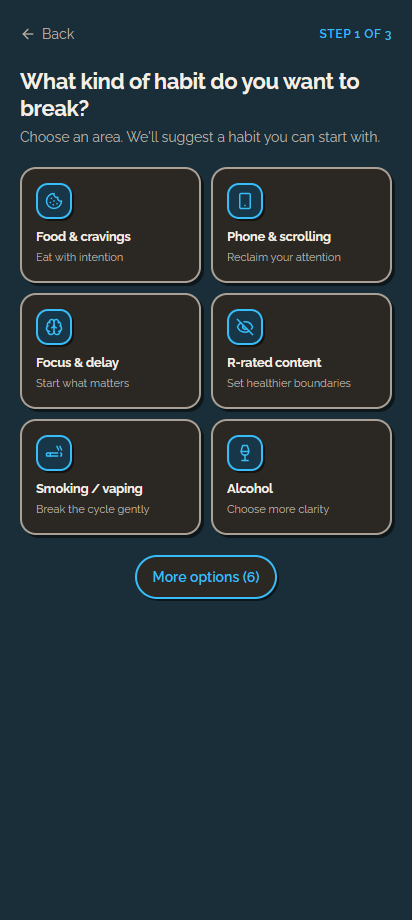
Unloops Break habit categories in dark mode, including food and cravings, phone and scrolling, and focus and delay.
Choose a habit to break
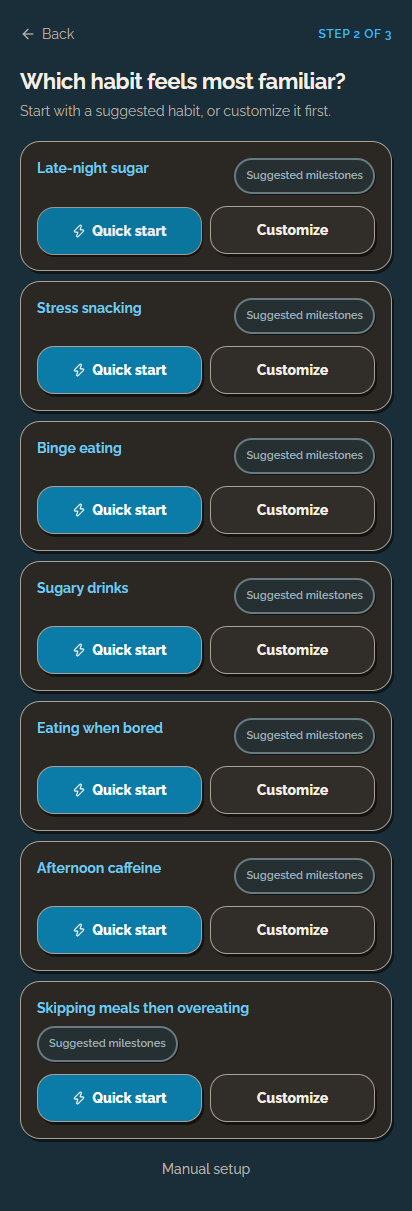
Food and cravings habit suggestions in dark mode, with Quick start and Customize actions.
Quick start or customize a suggestion Scroll inside the phone
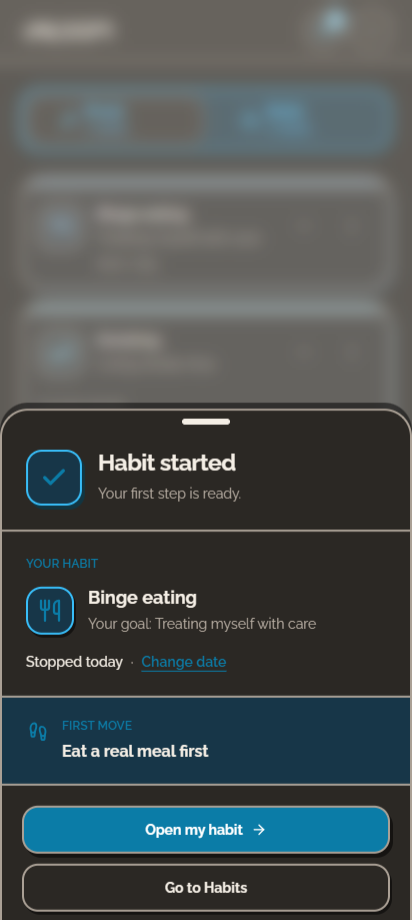
Dark-mode habit confirmation for a demonstration habit, with the goal Treating myself with care and the first move Eat a real meal first.
A personal reason and a first move

Everyday routines

Match the check-in to the habit

Daily routines and occasional care need different records.

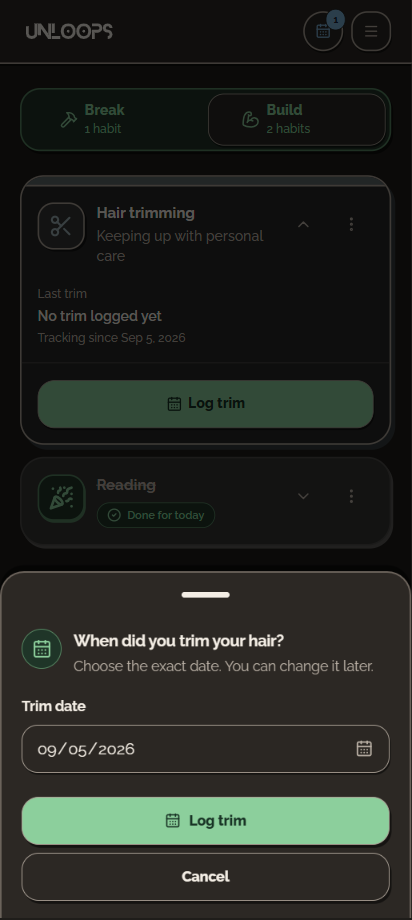
Build offers a daily completion action or an event date, using the same card structure.

Mark reading done today, or record when a hair trim happened.
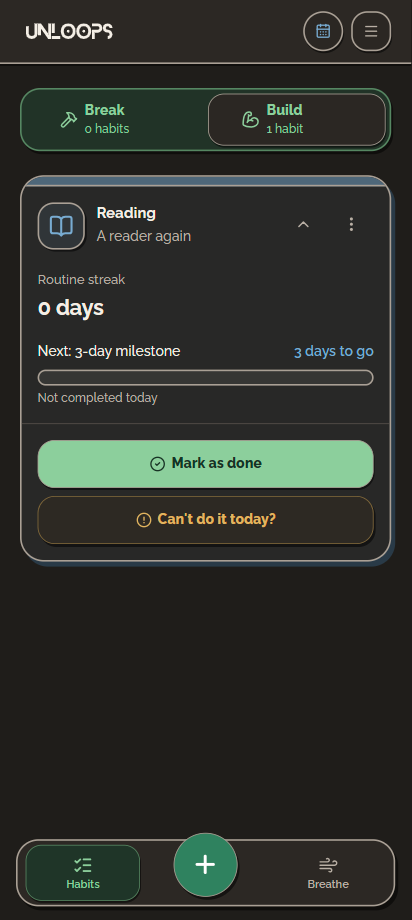
Reading habit with a daily check-in, next milestone, and an alternative when today is difficult.
Daily routine: mark reading as done
A bottom sheet to log the date of a hair trim.
Occasional routine: record the date
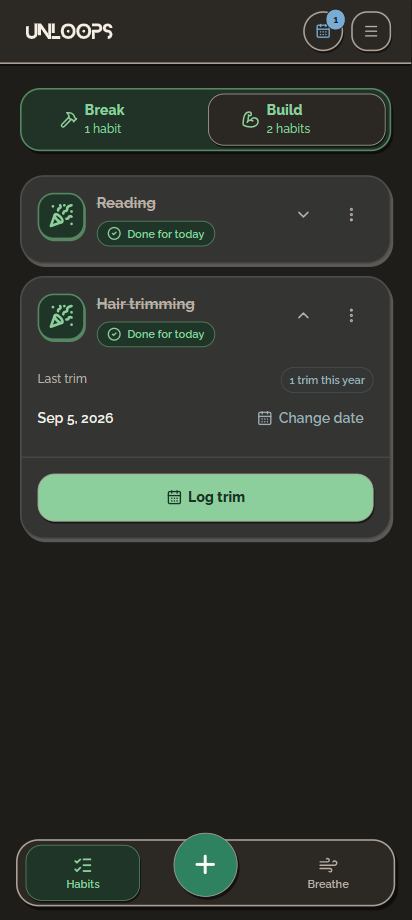
Build habits overview with Reading done and Hair trimming showing the last trim date and one trim this year.
See the last event and frequency
Completion states and tracking settings (3 screens)
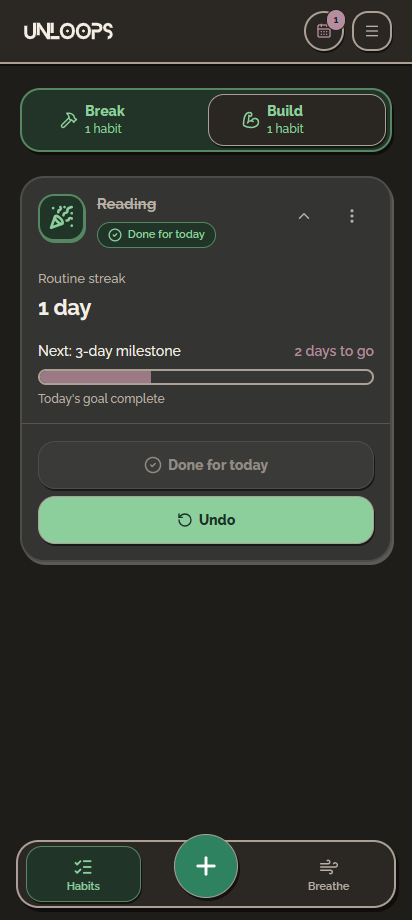
Reading in dark mode, showing a one-day routine streak, Done for today, and Undo. Demonstration habit.
A completed day, with the option to undo
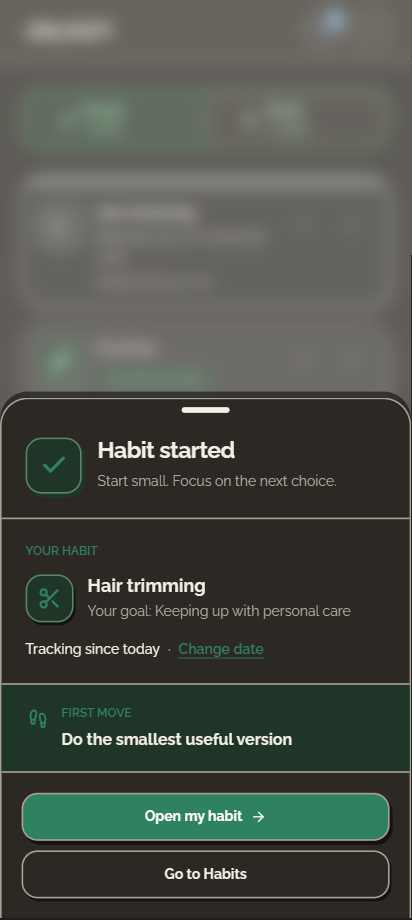
Hair trimming habit confirmation with the goal Keeping up with personal care.
Start an occasional care routine
Hair trimming settings with event logging or daily check-in, an optional frequency goal, impact, and reminders.
Choose how the habit is tracked Scroll inside the phone

Visual design and language

Neo-brutalism, with ADHD in mind

Neo-brutalism is one of my favorite visual styles. I used bold outlines, solid color, and offset shadows to make controls distinct.

With ADHD in mind, I prioritized clear grouping, predictable placement, and an obvious next action.

The app’s illustrations were drawn by an illustrator and are not AI-generated.
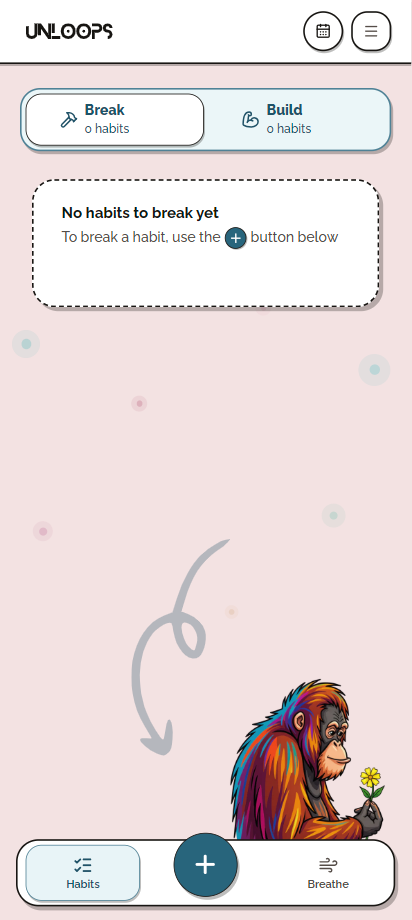
The same empty Break tab in the light theme.
Break habits
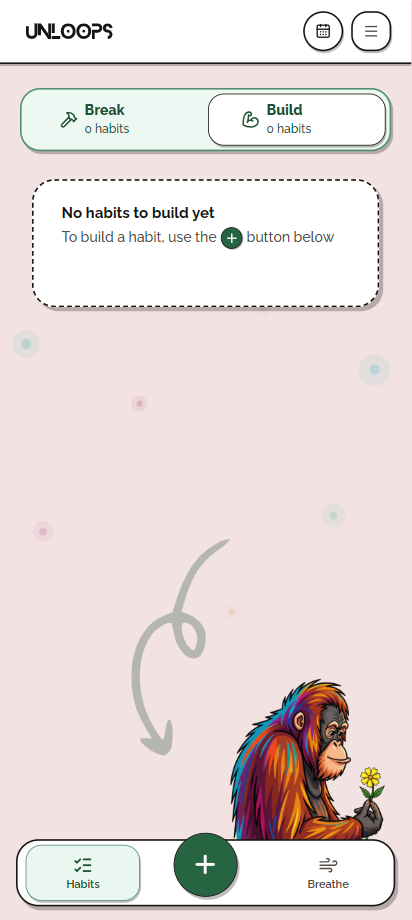
An empty Build tab with an illustrated prompt to add a routine.
Build habits

Outcome

The support I was missing

Unloops is live as a progressive web app (PWA), connecting a trigger plan, a guided pause, and reflection. I can choose a next action and revisit the context later.

I developed the app with AI assistance, including IndexedDB for local storage. I also built the Postgres backend with support from a full-stack developer.

I tested the app myself and with friends, which led to support for Polish, English, Portuguese, and Turkish.

Explore Unloops ↗

What I learned

Keep the next step clear

Preparation, action, and reflection ask for different levels of attention. Separating them gave each moment a clear purpose.

I’m continuing to test and refine the app in preparation for release on Google Play.

Unloops is open source, and I plan to use community feature requests to guide future iterations.